DeepL PDF Translation vs AnyLangPDF: Where Each Wins (2026)
DeepL PDF translation leads on text accuracy across 36 languages. AnyLangPDF adds layout preservation, OCR, and a shareable multilingual link. Where each one fits.
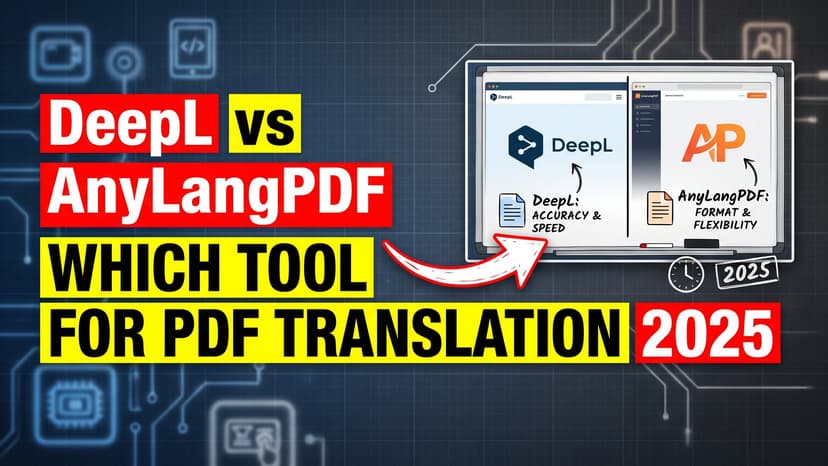
You can use DeepL to translate a PDF, and the words will come back right. The document will not. DeepL is a translation engine built for text: emails, articles, plain prose. Feed it a PDF and the layout goes. Tables turn into lists. Columns collapse into one block. Spacing disappears. The translation is accurate and the file is unusable.
For PDF translation, document format matters as much as translation accuracy. A perfectly accurate translation that arrives as reformatted text solves only half the problem. You still need to rebuild the layout manually. That manual work is where PDF translation becomes expensive and time-consuming.
This guide compares DeepL and AnyLangPDF across the factors that matter for document translation. Both are legitimate tools, but they solve different problems. Understanding which problem you actually have determines which tool is right.
DeepL: Strengths and Scope
DeepL is built specifically for translation accuracy. Its training approach produces natural-sounding output that often requires less post-editing than generic machine translation.
What DeepL Does Well
- Text translation quality. DeepL produces fluent, natural translations for most language pairs. Grammatical accuracy and contextual understanding are strengths.
- Supports 36 languages. Coverage includes major global languages and some less common ones like Vietnamese, Thai, and Hebrew.
- No artificial restrictions on text length. You can translate long documents as plain text without page or section limits.
- Preserves formatting within text. Bold, italics, and basic text formatting stay intact in the output text.
- Fast processing. Text translation happens in seconds.
DeepL's Design Constraints
DeepL is optimized for text translation at scale. This means it extracts text from input, translates it independently, and returns translated text. The system has no concept of document structure, layout, or visual positioning. These constraints are by design. They make DeepL fast and economical for text translation. They also make it unsuitable for documents where structure carries meaning.
What Happens When You Use DeepL to Translate a PDF
Search DeepL translate PDF and you find plenty of walkthroughs, few of which mention the limits. The free plan takes 3 documents per month at 5MB each. Paid plans raise the file cap to 10MB on Starter, 20MB on Advanced and 30MB on Ultimate. There is no OCR, so a scanned PDF has to be converted to text somewhere else first. And what comes back is reflowed text, not your document.
File Size and Artificial Limits
DeepL's free plan caps document uploads at 3 files per month and 5MB per file. Paid plans increase limits to 10MB, 20MB, or 30MB depending on the plan tier. These are hard limits. A 50-page technical manual or a high-resolution marketing PDF often exceeds these thresholds. When your document hits the limit, you must split it manually, translate chunks separately, and reassemble. This adds friction and introduces opportunities for errors at split points.
OCR Absence
DeepL cannot read scanned PDFs. A scanned document is an image, not text. DeepL sees only unreadable image data. Before DeepL can translate a scanned PDF, you must convert it to editable text using a separate OCR tool. This adds a preprocessing step and potential quality loss. OCR misreads, and when that happens, your translation starts from bad data.
Complete Layout Loss
When you upload a formatted PDF to DeepL, the system extracts text in reading order. All structural information is discarded. Multi-column layouts become single columns. Tables lose row and column relationships and become lists. Images are dropped entirely. Spacing, alignment, and visual hierarchy are gone. The output is plain translated text with no memory of where things were positioned in the original.
A perfectly translated document that looks like plain text is not a translated document. It is translated content. For distribution, professionalism, and usability, the visual structure matters.
Distribution Complexity
After translating, you have text that needs reformatting into a PDF. You then have one file per language. Managing ten language versions means managing ten separate files. Updates require updating all ten. Version control becomes manual. Sharing requires deciding which file to send. This creates maintenance overhead that scales poorly with language count.
Language Limitations
36 languages sounds comprehensive but is actually moderate coverage. It excludes many indigenous, regional, and minority languages. If you serve a diverse audience or work internationally, 36 languages may not cover all communities you need to reach.
AnyLangPDF: Document-First Approach
What AnyLangPDF Does
- Preserves document layout automatically. Tables, columns, images, spacing, and alignment survive translation intact.
- No file size limits. Translate 50MB documents, 500-page manuals, or anything larger without splitting or payment tiers.
- Built-in OCR. Scanned PDFs work directly. No preprocessing needed.
- 100+ languages. Broader coverage including less common languages.
- Single multilingual link. One URL serves all language versions. Readers choose their language once. No file management.
- Pay-per-document pricing. No monthly subscription. Cost scales with actual usage.
Design Philosophy
AnyLangPDF is built for the complete document workflow. This means analyzing structure before translation, reconstructing layout after translation, and providing distribution infrastructure. The goal is a translated document that looks and functions like the original, just in a different language.
Feature Comparison: DeepL vs AnyLangPDF
| Feature | DeepL | AnyLangPDF |
|---|---|---|
| PDF layout preservation | ✗ Destroyed | ✓ Preserved |
| File size limit | 5-30MB | No limit |
| OCR for scanned PDFs | ✗ No | ✓ Yes |
| Languages supported | 36 | 100+ |
| Tables and columns | ✗ Destroyed | ✓ Preserved |
| Images and captions | ✗ Lost | ✓ Positioned correctly |
| Single multilingual link | ✗ No | ✓ Yes |
| Manual file management | ✓ Required | ✗ Not needed |
| Text translation quality | ✓ Excellent | ✓ Good |
| Pricing model | $4.99-180+/month | Pay per document |
Real-World Scenarios
A Marketing Team Translating Sales Collateral
A company has a beautiful 20-page product catalog with product photos, pricing tables, and side-by-side comparisons. They want versions in English, Spanish, German, and French for international markets.
Using DeepL. Extract text, translate, receive plain text output. Now manually rebuild layout in three languages. Each language version requires careful alignment to match the original visual design. The product images are lost. pricing tables become text lists. Total time for four versions. 24 to 32 hours of manual design work.
Using AnyLangPDF. Upload the catalog once. Select four languages. The tool generates four versions with layout intact. Images stay positioned. Tables maintain alignment. Pricing information stays clear and readable. Total time. 5 minutes. One link serves all four languages.
A Research Institution Sharing Academic Papers
A university wants to make research papers available to international scholars in English, Mandarin, Spanish, and Arabic. The papers contain complex tables, mathematical formulas, and cited references formatted in academic style.
With DeepL. Translate plain text and get text back. Rebuild formatting, restore tables, reposition formulas, reformat citations across four language versions. Error risk is high because citations and references can be misaligned. Distribution requires managing four separate files and communicating which version is which to different audiences.
With AnyLangPDF's multilingual link. Upload once. The tool handles layout, formulas, tables, and citations. Scholars access one link, choose their language, and download a formatted PDF ready to cite.
A Government Agency Producing Multilingual Forms
An agency creates a tax form that serves 12 language communities. The form has specific checkboxes, signature lines, and field alignments that must be preserved exactly for legal compliance.
Using DeepL. Translate text and receive text. Rebuild form layout and alignment in 12 languages. Any misalignment risks making the form legally ambiguous. Each form version must be reviewed for compliance. Total effort. weeks.
Using AnyLangPDF. Upload once. The system preserves form structure, checkboxes, signature lines, and spacing in all 12 languages automatically. Compliance and usability are guaranteed. Total effort. hours.
When to Use Each Tool
Use DeepL For
- Translating plain text emails or messages
- Understanding content in a foreign language
- Quick one-off text translation where formatting does not matter
- Situations where translation accuracy for supported languages is the only priority
Use AnyLangPDF For
- Any PDF that will be shared with others
- Documents where layout and structure carry meaning. tables, forms, reports, marketing materials
- Scanned documents that need OCR plus translation
- Situations where you need to support 50+ languages
- Workflow where distribution simplicity matters. one link instead of multiple files
- High-volume or large-file scenarios where size limits are restrictive
Frequently Asked Questions
Translation Quality
Is AnyLangPDF's translation as accurate as DeepL?
Both produce high-quality translations for common language pairs. DeepL has a slight edge in translation fluency for European languages. For document translation, accuracy is one factor. Preservation of layout, tables, and images is equally important. AnyLangPDF prioritizes the complete document experience.
Which tool is better for technical documents?
For technical manuals with diagrams, tables, and code snippets, AnyLangPDF is the better choice. Diagrams need positioning preserved. Code blocks need formatting intact. Technical terminology needs consistency. AnyLangPDF handles all of these. DeepL handles only the text.
Languages and Reach
What if I need a language neither tool supports?
If your required language falls outside both tool's supported languages, neither will help directly. However, AnyLangPDF's 100+ language support covers more of the world's population than DeepL's 36 languages. Check the specific language support list before choosing.
Cost and Subscription
Which is more affordable for occasional use?
AnyLangPDF. Pay per document with no subscription. One occasional translation costs a few euros. DeepL requires paying for a monthly plan even if you translate once per month. For sporadic use, token-based pricing is cheaper.
Which is more affordable for high-volume translation?
It depends on volume and whether you need layout preservation. If you translate high-volume plain text only, DeepL's subscription may be cheaper at scale. If you translate any PDFs or formatted documents, AnyLangPDF eliminates manual reformatting cost, which usually pays for itself immediately.
Bottom Line: The Right Tool for Your Use Case
DeepL is excellent at what it was designed for. translate text from one language to another with high quality. If you are translating emails, articles, or any plain text where formatting does not matter, DeepL is a good choice.
But PDF translation is not a text problem. It is a document problem. The document structure, layout, images, and visual hierarchy are integral to the document's function. A translation that loses these elements requires manual reconstruction, which is expensive and error-prone.
AnyLangPDF solves the complete PDF translation problem. Upload your PDF, select your languages, get translated documents with layout intact. No manual reformatting. No separate file management. One link, multiple languages. For any formatted document, this approach is faster, cheaper, and produces better results. Choose based on whether you are translating text or documents. The answer determines everything.
Related Articles on PDF Translation and Localization
Translation Service for Documents: How to Pick (2026 Guide)
Choosing a translation service for documents in 2026: compare DeepL, Google Translate, Adobe Acrobat AI, and AnyLangPDF on accuracy, format preservation, and cost.
Best PDF Translation Service: What Reddit Actually Says (2026)
Tired of conflicting Reddit threads? We aggregated what real users say about the best PDF translation services in 2026, from DeepL to AnyLangPDF.
Best Free AI PDF Translator in 2026 (Honest Comparison)
Looking for a free AI PDF translator? We compare what is actually free, what has hidden limits, and which tool gives you the best result without paying.
