Multilingual PDFs for Publishers: One Link, Every Market

Publishers distributing a book via one multilingual PDF link

What Is a Multilingual PDF?

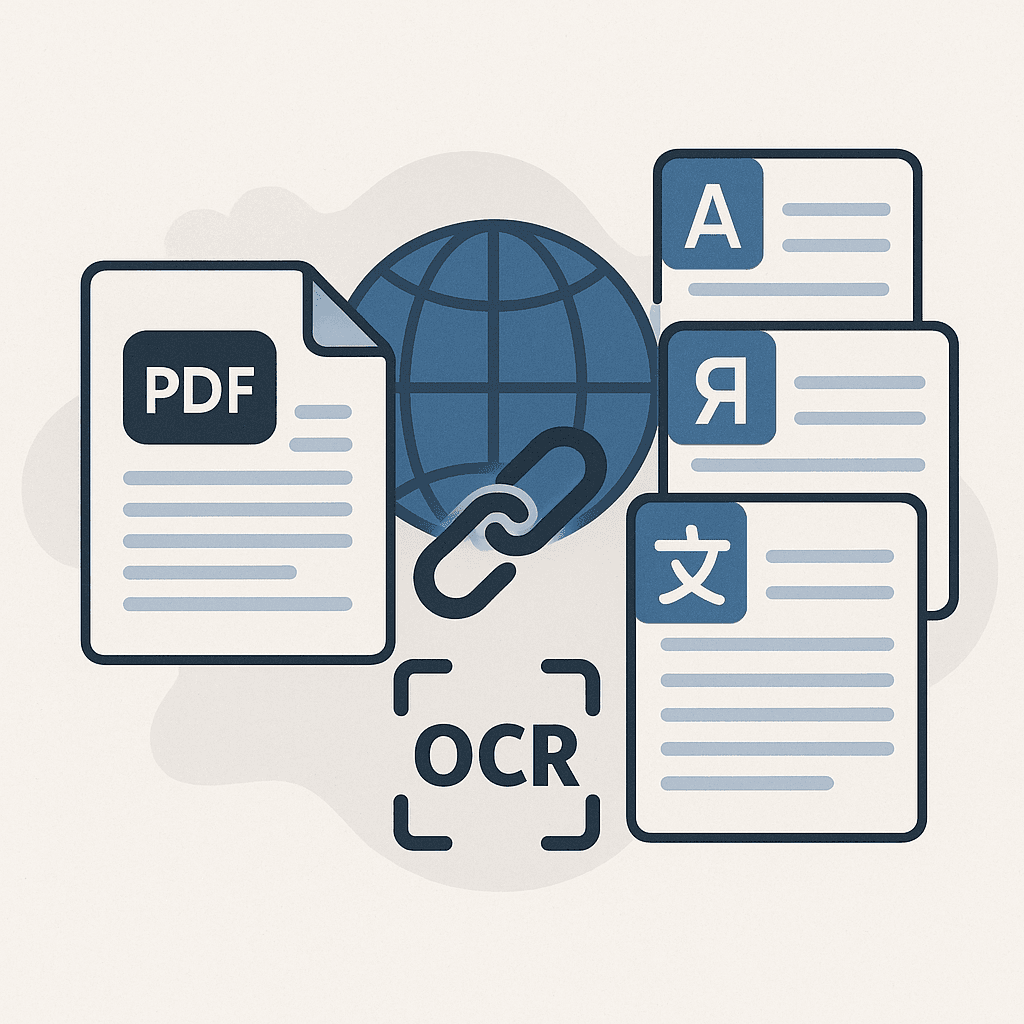
A multilingual PDF is a single document that contains multiple language layers, allowing readers to switch seamlessly between translations without downloading separate files. Instead of hosting several PDFs for different regions, publishers distribute one link that automatically displays the correct language based on user choice or browser settings.

Technically, multilingual PDFs embed translated text objects and maintain a shared visual framework. Fonts, images, and interactive elements remain consistent, so design integrity is preserved across languages. This approach eliminates version-control headaches, reduces storage costs, and delivers a uniform reader experience worldwide.

For publishers competing in 2026's global market, multilingual PDFs provide a scalable way to reach new audiences, comply with accessibility standards, and improve discoverability in search engines that prioritise language-relevant content.

Publishing in today's global marketplace requires a multilingual mindset from the very first draft. While building AnyLangPDF, I heard the same complaint over and over: we spend more time chasing file versions than releasing new titles. With anylangpdf, that time goes back into storytelling because one smart link replaces dozens of language-specific PDFs.

The traditional approach of creating separate PDFs for each language creates operational chaos. You end up with folders full of files like "cookbook_EN_v2.pdf," "cookbook_ES_final.pdf," and "cookbook_FR_FINAL_FINAL.pdf." Sound familiar?

There's a better way. Let me show you how modern publishers are streamlining their multilingual workflows while maintaining perfect design integrity across every market.

The Hidden Costs of Traditional PDF Translation Workflows

Most publishers underestimate the time and money they bleed inside a fragmented multilingual PDF workflow. Even though the global translation service market topped USD 41.78 billion in 2024, many teams still juggle spreadsheets and email threads instead of using a purpose-built PDF translator that automates updates and version control.

The File Management Nightmare

Your design team exports the final PDF. Then they export it again for Spanish. Then French. Then German. Each file needs a unique name, storage location, and tracking system. When you discover a typo on page 47, the cycle starts over.

One publisher I spoke with had 127 different PDF files for a single cookbook across 8 languages and multiple revisions. Their marketing team spent 3 hours every week just finding the right file to send to distributors.

Version Control Chaos

Updates become exponentially complex with multiple language files. Multilingual content editions have been rolled out by 54% to cater to regional markets, but managing these versions creates significant overhead. Change one chart in your original document, and you need to:

Marketing and Distribution Friction

Your publicity team wants to send advance review copies to international media. Instead of one simple link, they're attaching 6 different PDF files to each email. Recipients get confused about which file to open. Some don't open any.

According to CSA Research's study of 8,709 consumers worldwide in 29 countries, 76% of online buyers prefer to purchase products with information in their native tongue. The same survey found that 40% of consumers will never buy from websites in other languages.

Upload and configure

One Link Per Title: Multilingual PDF Publishing Solution

What if you could upload your PDF once and get a single link that works for readers in New York, Madrid, Tokyo, and São Paulo?

In short, AnyLangPDF hands publishers a single multilingual PDF link that ends file chaos without sacrificing beautiful layouts. Simply upload your final PDF, pick the target languages, and anylang pdf instantly generates one shareable URL. When readers click, they choose their language and download the correctly formatted file within seconds, keeping your brand experience seamless from edit room to e-reader.

How It Works for Publishers

Step 1: Upload Once
Your design team exports the final PDF as usual. Upload it to AnyLangPDF and select target languages. Our AI handles the translation while preserving every design element.

Step 2: Share Everywhere
Use the same link in press releases, email campaigns, retailer communications, and social media. No more managing separate files or broken download paths.

Step 3: Readers Choose
When someone clicks your link, they see a clean interface showing available languages. They select their preference and download instantly.

Translation completed

Why Design Integrity Matters in Global Publishing

Publishers invest heavily in visual design. Typography, spacing, image placement, and brand consistency differentiate professional publications from amateur content.

Traditional translation tools destroy this investment. Google Translate turns your carefully crafted layout into a jumbled mess. Manual translation preserves content but often requires complete redesign for each language.

Preserving Visual Hierarchy

AnyLangPDF maintains your original design structure better than any competitor:

This matters especially for:

For publishers serving educational markets, check out our specialized PDF Translations for Schools solutions.

Handling Scanned PDFs and Legacy Content

Many publishers have valuable backlist titles that exist only as scanned PDFs. These legacy documents often can't be edited or reformatted, making translation seem impossible.

Our OCR (Optical Character Recognition) technology solves this problem. We extract text from scanned images, translate it accurately, and maintain the original page composition. This unlocks your entire catalog for global distribution.

Real-World Applications

How to Create a Multilingual PDF: Step-by-Step Guide

Follow this practical workflow to create your first multilingual PDF:

  1. Prepare a master InDesign, Word, or LaTeX file with clearly defined style sheets and export tagging. Consistent styling ensures every language layer aligns perfectly with the original layout.
  2. Translate content using a CAT tool or your LSP (Language Service Provider). Export translations as XLIFF to preserve formatting codes and minimise re-engineering.
  3. Import the translated XLIFF back into your layout software, generating separate language layers. Verify that fonts support all character sets, especially for right-to-left scripts.
  4. Run a preflight check for text expansion, broken hyperlinks, and non-embedded fonts. Adjust layout where necessary to avoid text overflow.
  5. Export the file as a tagged PDF with language metadata embedded for each layer. Use Acrobat or an automation pipeline to merge layers into a single multilingual PDF.

Once complete, host the document behind one shareable URL. Users can switch languages via an overlay selector or automatic detection, eliminating the need to juggle multiple files.

Streamlined Publishing Operations with Multilingual PDFs

The operational benefits extend far beyond file management. Publishers using AnyLangPDF report significant improvements across their entire workflow.

Editorial Efficiency

Editors can focus on content instead of coordinating file exports. When they approve final changes, those updates automatically apply to all language versions through the same link.

Design Team Freedom

Designers export once and move on to the next project. No more maintaining parallel versions or troubleshooting broken layouts in different languages.

Marketing Simplification

Publicity teams use one link in all communications. Press kits become cleaner. Email templates work globally. Social media posts drive to a single destination.

Sales Team Empowerment

Sales representatives carry one link that works for any prospect, regardless of their market or language preference. No more "let me send you the right file" delays.

For companies looking to streamline their multilingual publishing operations, explore our PDF Translations for Companies solutions.

Enhancing Reader Experience with Multilingual PDFs

Traditional PDF distribution forces readers to make decisions they're not equipped to make. Which file should they download? Is this the latest version? Will it work on their device?

AnyLangPDF eliminates this friction entirely.

Intuitive Language Selection

Readers are greeted by a clean interface where every available language is clearly listed. One click launches an instant download of a localized PDF, guaranteeing they always receive the latest version. No confusion, no mismatched files, and zero dead links means higher satisfaction and fewer support requests.

Always Current Content

Because you manage one link instead of dozens of files, readers always access the most current version. Update your source PDF, and the link automatically serves the new edition in all languages.

Embedded Widgets for Seamless Integration

You can embed the language selector directly into your website, author pages, or marketing microsites. Readers never leave your branded experience while accessing multilingual content. Learn more about our Multilingual PDF link capabilities.

Workflow Comparison: Old vs. New

Traditional ApproachAnyLangPDF Solution
Export separate PDF per languageUpload once, translate automatically
Manage dozens of files and foldersOne link for all languages
Update each file individuallyUpdate once, applies everywhere
Email multiple attachmentsShare single URL
Risk of sending wrong versionAlways current content
Broken layouts in translationsPerfect design preservation
Manual coordination across teamsStreamlined workflow
Confused readers choosing filesIntuitive language selection

Implementation Strategy for Publishers

Start with High-Impact Titles

Choose publications that would benefit most from global distribution:

  • New releases launching simultaneously in multiple markets
  • Bestsellers with proven international appeal
  • Educational content with broad geographic relevance
  • Reference materials used across language communities

Integrate with Existing Workflows

AnyLangPDF fits into your current production process without disruption:

  1. Design team completes final PDF as usual
  2. Upload to AnyLangPDF instead of creating language-specific exports
  3. Share the multilingual link through existing marketing channels
  4. Track engagement and downloads through our analytics

Train Your Teams

Brief your editorial, design, marketing, and sales teams on the new workflow. The learning curve is minimal, but alignment ensures maximum benefit.

Cost Analysis: ROI of Streamlined Publishing

Publishers typically underestimate the hidden costs of traditional multilingual workflows:

Time Savings

Error Reduction

Opportunity Costs

The translation market is expected to experience steady growth in 2025, with global revenues projected to exceed $45 billion, making efficient translation workflows increasingly critical for competitive advantage.

SEO Benefits of Multilingual PDFs for Publishers

Multilingual PDFs give publishers a hidden SEO advantage by consolidating authority signals into a single URL. Instead of splitting backlinks and social shares across multiple language-specific files, every signal accrues to one central asset, boosting its overall ranking potential.

Search engines also recognise language metadata embedded within the PDF, enabling them to serve the correct language version in SERPs. This improves click-through rates in non-English markets and helps your content qualify for featured snippets in multiple languages.

Additionally, hosting one multilingual PDF reduces duplicate-content risks. Canonicalisation is straightforward, and the unified document avoids keyword cannibalisation that often plagues multi-file setups. Combined with faster updates—because you only replace one file—publishers maintain fresher, more authoritative content that climbs search results faster.

Advanced Multilingual PDF Features for Professional Publishers

Analytics and Insights

Track which languages generate the most interest for specific titles. This data informs future translation investments and market expansion strategies.

White-Label Integration

Embed the language selector seamlessly into your branded websites and marketing materials. Readers stay within your ecosystem while accessing multilingual content.

API Access

For publishers with custom content management systems, our API enables automated workflows and bulk processing capabilities.

Enterprise Support

Dedicated account management, priority processing, and custom integration support for high-volume publishers.

Security and Compliance for Multilingual PDFs

Professional publishers need enterprise-grade security for sensitive content like advance review copies or proprietary materials.

Content Protection

Compliance Standards

Case Studies: Publishers Getting Results

Educational Publisher Success

A major educational publisher reduced their multilingual content management overhead by 75% while expanding into 12 new markets. Their marketing team now launches coordinated campaigns across all territories using single links for each title.

Independent Publisher Growth

A boutique publisher specializing in art books eliminated the $15,000 annual cost of managing separate language versions. They reinvested those savings into translation for 5 additional languages, expanding their global reach significantly.

Technical Publisher Efficiency

A publisher of engineering manuals streamlined their customer support by 60% after switching to multilingual links. Customers no longer receive wrong file versions or outdated technical specifications.

For NGOs looking to distribute multilingual content efficiently, explore our PDF Translations for NGOs solutions.

Getting Started: Your First Multilingual Publication

Ready to transform your publishing workflow? Here's how to begin:

Choose Your Pilot Title

Select a publication that:

  • Has broad international appeal
  • Requires multiple language versions
  • Currently causes file management headaches
  • Would benefit from simultaneous global launch

Set Up Your Account

Visit AnyLangPDF and create your publisher account. Choose the plan that matches your volume needs, starting with our Standard package for most publishers.

Upload and Configure

Upload your PDF, select target languages, and configure your multilingual link. The process takes minutes, not hours.

Test and Refine

Share the link with internal teams first. Gather feedback on the reader experience and make any adjustments before broader distribution.

Scale Across Your Catalog

Once you see the benefits with your pilot title, expand to additional publications. Many publishers process their entire active catalog within the first quarter.

The Future of Multilingual Publishing

The shift toward digital publishing is one of the most significant trends impacting the translation market in 2025. E-books, audiobooks, and multimedia content are becoming increasingly popular, necessitating new approaches to translation.

Publishing continues evolving toward global-first strategies. Readers expect immediate access to content in their preferred language. Distribution partners want simplified workflows. Marketing teams need tools that scale across territories.

AnyLangPDF positions publishers ahead of these trends. Instead of fighting complex file management, you focus on what matters: creating great content and reaching readers worldwide.

Multilingual publishing is rapidly becoming the norm, and the real decision is whether your team will lead the shift or scramble to follow competitors. Standardizing on AnyLangPDF today sets the foundation for scalable global growth and positions every new title for maximum reach from day one.

For more insights on PDF translation best practices, read our comprehensive guide on How to Share Your PDFs in Multiple Languages.

Frequently Asked Questions

Ready to revolutionize your multilingual publishing workflow? Visit AnyLangPDF and upload your first PDF to see how simple global publishing can be.

Ready to Transform Your Publishing Workflow?

Upload your first PDF and see how simple global publishing can be. Join publishers who stopped fighting with broken translations and started reaching readers worldwide.