Airbnb Multilingual Welcome Guide for International Guests (2026)
Build an Airbnb multilingual welcome guide with AnyLangPDF: one link guests open in their own language, with house manual and local tips. Better stays, better reviews.
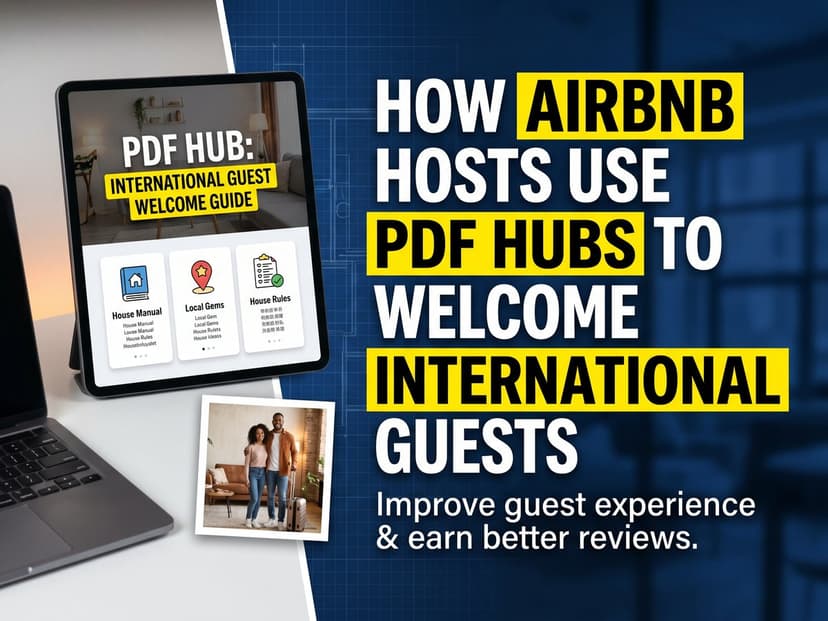
The most common complaint in vacation rental reviews is not dirty floors or a noisy neighborhood. It is confusion. "We could not figure out the heating." "The checkout instructions were unclear." "We had no idea the parking required a permit." These are fixable problems. They all trace back to the same root cause: a welcome guide written in English handed to guests who speak Japanese, German, or Portuguese.
International travelers now represent a substantial share of Airbnb bookings in most tourist destinations. When your welcome guide is English-only, a significant fraction of your guests are navigating your property on guesswork. They will not ask for a translation. They will just figure it out, make mistakes, and mention the confusion in their review.
This guide covers what to put in a multilingual welcome PDF, how to structure it so guests actually read it, which languages to prioritize, and how to share it so every guest gets the right version automatically.
What Happens When Your Welcome Guide Only Exists in English
The problem is not that guests do not try to understand. They do. They open the binder, read what they can, and make guesses about the rest. Here is what guessing looks like in practice.
A family from Brazil figures out the TV but cannot read the washing machine instructions. They run a hot cycle on cold-wash-only linens. They do not know they did anything wrong. You find out when you see the damage.
A German couple cannot find the recycling bins because the trash instructions describe colors they cannot map to the actual containers. They leave everything in one bag. Your building fines you for non-compliance.
A Japanese traveler cannot read the checkout checklist clearly enough to follow it. The thermostat stays on. The windows stay open. Checkout is 30 minutes late because they were not sure what was expected.
None of these guests are careless. They all tried. The failure is the guide, not the guest. And the guest still writes the review.
The review does not say "the instructions were in English and I could not read them." It says "communication was unclear" or "the checkout process was confusing." The host reads it and wonders what they did wrong. They did nothing wrong. The guide was just in the wrong language.
What to Include in Your Welcome PDF
Most hosts put too much information in one place or not enough in the right place. The goal is not comprehensiveness. It is findability. Guests open the guide at a specific moment of need. They want one answer, fast. Structure it that way.
Document 1: Arrival Essentials (1 page maximum)
This is the document guests open the second they walk in. Keep it to one page. Everything else can wait.
- WiFi name and password. Put it at the top in large text. This is the first thing every guest looks for, every time.
- Door and lockbox codes. Self check-in instructions with the exact sequence, written out step by step. Not "enter the code" but the actual code and which buttons to press in what order.
- Your phone number. Obvious, but many hosts forget to include it in the printed materials.
- The property address written for a taxi driver. Guests navigating in a foreign city often need to show the driver a written address, not a pin on a map.
- Parking instructions if applicable. Include any permit codes, zone numbers, or timing restrictions. Parking tickets on the first night ruin the trip.
Document 2: House Manual (3-8 pages)
Detailed instructions for every system a guest might interact with. The length depends on the property. A studio has fewer systems than a four-bedroom house. Go through every room and document what guests need to operate.
- Heating and cooling. Not "use the thermostat." Which thermostat, where is it, what settings to use for each season, what the display means. Include a photo of the unit with labels.
- Kitchen appliances. Coffee machine, espresso machine, dishwasher, oven, induction hob. International guests will not assume the same controls they know at home. Label each step.
- Hot water. Is there a timer? A boiler switch? A minimum wait time after arrival? This causes more frustration than any other system.
- Washing machine and dryer. Which program for normal loads, where the detergent goes, and whether there is a dryer or guests need to use a rack.
- Smart home devices. If you have a smart lock, smart thermostat, or voice assistant, explain how it works. Guests will not figure it out by experimentation.
- TV and streaming. Which input, how to switch, which streaming accounts are shared and which require a personal login.
- Trash and recycling. Where the bins are, which bag goes in which bin, what day collection happens, any local rules about separation. This is the most frequently violated house rule in vacation rentals.
Document 3: House Rules (1-2 pages)
Keep this short and unambiguous. Rules that are buried in a long document do not get followed. Rules guests cannot read do not get followed either. One clear rule per line.
- Quiet hours. Exact times. What counts as noise. Whether building rules are stricter than your rules.
- No smoking. Where this applies. Whether an outdoor terrace is permitted or not.
- Guest limits. Maximum occupancy. Whether overnight visitors beyond the booking count are allowed.
- Pet rules. If pets are allowed and any restrictions on size, areas of the property, sleeping arrangements.
- Damage reporting. How to contact you if something breaks. Many guests hide damage because they do not know the process is normal and fair.
Document 4: Local Guide (3-8 pages)
This document is optional in the sense that guests will survive without it. But it is the document they mention in reviews. "The host gave us the most amazing local tips" is a sentence that appears in reviews for hosts who made the effort and never appears for hosts who did not. It takes two hours to write and pays dividends for years.
- Grocery stores. Nearest supermarket with hours and walking time. Any specialty stores worth knowing about.
- Restaurants. Your actual favorites, not every option in the neighborhood. Three to five recommendations with brief descriptions of what they are good for.
- Coffee. Guests who work remotely will love you for the best coffee shop with WiFi.
- Transportation. Nearest metro or bus stop, which lines go where, whether rideshare apps work in the area, how to get to the airport.
- Pharmacies and urgent care. Location and hours. International guests with children or medical needs will appreciate this more than any restaurant recommendation.
- One thing most tourists miss. A local park, a viewpoint, a market that only happens on weekends. Something that makes your neighborhood worth exploring.
Document 5: Checkout Instructions (1 page)
A clear checklist. Not a paragraph of text. Guests read checklists during checkout. They skip paragraphs.
- Checkout time prominently at the top. If late checkout is available and how to request it.
- Key and lockbox return. Exact steps.
- What to do with dishes, linens, and trash. Explicit. Do they need to strip the beds? Run the dishwasher? Take out the bins?
- Thermostat and window settings on departure. What to set it to, whether to close everything.
- Luggage storage if they have a later flight. Whether you offer it, or a nearby service that does.
How Automatic Language Detection Works
When you upload your welcome PDF to AnyLangPDF and share the link with guests, visitors do not need to select a language manually. The tool reads the browser language setting of each device and serves the appropriate version automatically.
A guest visiting from Japan on a device set to Japanese sees the Japanese version. A German guest on a device set to German sees the German version. The same link works for everyone. No language menu, no friction, no guessing.
Guests can still switch languages manually if they prefer a different one. But for the majority of arrivals, the right version appears without any action on their part.
When you update the source PDF, all language versions update automatically. The link you put in your Airbnb messages, on your QR code card, and in your check-in instructions stays exactly the same. You never need to resend anything.
The practical implication for hosts: create the guide once, translate it once, and share one link everywhere. Every future update goes to the same link. Every guest who has ever saved the link will see the latest version.
Step-by-Step: Creating and Sharing Your Multilingual Welcome PDF
Step 1: Write the guide in your strongest language
Write it in whatever language you think most clearly in. Translation handles the conversion to other languages. A well-written guide in Spanish will translate better than a poorly written one in English. Focus on clarity and precision, not on the target language.
Use short sentences. Avoid idioms. Write out every step explicitly. "Turn the left knob clockwise until it clicks" is better than "adjust the valve." Clear instructions translate cleanly. Vague instructions produce vague translations.
Step 2: Add photos
Photos of appliances, labeled with arrows, survive translation perfectly. A photo of your coffee machine with arrows pointing to the water tank, the filter, and the start button needs no translation at all. Add photos to every section that involves a physical action.
This also makes the translated versions better. When a guest reads the Japanese translation and sees the photo next to it, they can verify they are looking at the right thing. Photos remove the last layer of ambiguity.
Step 3: Export as PDF
Any word processor works. Google Docs, Microsoft Word, Apple Pages. Export as PDF. The layout, fonts, and images you created will be preserved through the translation process when you use a layout-preserving translator.
Step 4: Upload to AnyLangPDF and translate
Upload your PDF. The system translates the text while keeping your layout intact. Images stay in position. Fonts are preserved or substituted with appropriate equivalents for character sets that require it, like CJK (Chinese, Japanese, Korean) scripts.
You get one shareable link. Every visitor to that link gets the translated version in their browser language.
Step 5: Put the link where guests will find it
The link should appear in at least three places.
- In your Airbnb check-in message. Send it two days before arrival so guests can read it before they arrive. They will not all read it in advance, but some will, and those guests arrive calmer.
- As a QR code in the property. Print the QR code, frame it, and put it where guests will see it immediately: on the entrance table, on the kitchen counter, on the inside of the front door. A small framed card looks professional and lasts for years.
- In your Airbnb listing description. Guests who are deciding between your property and another will notice that you offer multilingual documentation. It signals that you are a careful and professional host.
Which Languages to Translate Into
Check your booking history first. The most useful data is your own. Which countries have your guests come from in the last year? Start with the languages that represent your real guest base.
If you are just starting out or want general guidance, here is a practical framework by destination type.
| Destination | Start with | Add next |
|---|---|---|
| Western Europe (Spain, France, Italy) | English, German, French, Spanish | Portuguese, Dutch, Japanese, Chinese |
| North America (US, Canada) | Spanish, French, English | German, Chinese, Korean, Portuguese |
| East Asia (Japan, Thailand, Bali) | English, Chinese, Japanese, Korean | Thai, Indonesian, Vietnamese |
| Latin America | Spanish, English, Portuguese | French, German, Italian |
| Middle East and North Africa | Arabic, English, French | German, Russian, Turkish |
Adding a language takes minutes. Start with four to six and add more as your guest demographics show you what is needed. There is no cost to having more languages available.
Seasonal and Property-Type Variations
A beach rental in summer and the same rental in winter need different guides. The heating instructions become critical in October. The beach access directions matter in July. Keeping one static guide year-round means half the information is irrelevant and the most important half for the current season might be missing.
With a single shareable link, updating is simple. Revise the source PDF, re-upload, and all language versions update automatically. The QR code in the property, the link in your Airbnb messages, the URL in your listing: all of them continue to work and now serve the updated content.
Property type also shapes what to include.
- City apartments. Metro and bus maps. Which neighborhoods are safe to walk at night. How to use the building intercom. Supermarket hours. Noise rules specific to apartment buildings.
- Rural houses and cabins. Safety information first. Water source (well vs. municipal). Generator or solar power if relevant. Wildlife instructions. What to do if there is a power outage. Nearest town with supplies and how far it is.
- Beach properties. Beach access and rules. Rip current awareness. Where to rent equipment. Nearest urgent care. Sunscreen, jellyfish, and other seasonal hazards specific to the location.
- Ski chalets. Lift pass purchasing. Where to rent equipment. Avalanche awareness if relevant. What to do if weather traps guests. Road conditions and chains.
What Not to Include
Most welcome guides include too much. Information overload is the second most common failure mode after language barriers. If guests have to read 25 pages to find the WiFi password, they will give up and message you instead.
- History of the neighborhood. Save this for the local guide. The arrival essentials document is not the place for context.
- Instructions for things that never break. If the bathroom light switch works like every other light switch in the world, do not document it.
- Legal disclaimers and liability language. Guests do not read it and it makes the document feel hostile. Your actual house rules do the job without the legalese.
- Reviews or testimonials from previous guests. This is advertising, not information. Keep it out of operational documents.
- Restaurant menus or full attraction guides. Link to them or keep them in a separate optional document. Do not pad the operational guide with tourist information that only some guests want.
The test for every paragraph: would a guest who just arrived and is tired and hungry care about this right now? If yes, keep it. If the answer is "maybe later" or "only some guests," put it in a separate document or cut it.
The Real ROI: What You Actually Get Back
The return on creating a multilingual welcome PDF comes from three places, and only one of them is easy to quantify.
Fewer messages from guests
The questions hosts answer most often are: WiFi password, how to operate the heating, where to leave trash, and checkout time. These are all answerable in a one-page arrival guide. A clear guide in the guest's language eliminates most of these questions before they are asked. The time saved per booking is small but it compounds across 50 or 100 bookings per year and eliminates interruptions at inconvenient hours.
Better reviews
Communication and check-in are two of the five categories Airbnb uses for guest reviews. A multilingual welcome guide directly improves both. Guests rate the check-in process higher when they can understand the instructions. They rate communication higher when they feel the host anticipated their questions. Neither of these requires the host to do anything after the guide is set up.
Rule compliance
Guests follow rules they can read. Noise violations, trash issues, and checkout delays are less frequent when the rules are in the guest's language and clearly presented. The cost of one noise complaint from a neighbor or one missed checkout that delays your cleaning crew can exceed the entire cost of creating and translating the guide.
What it costs
Writing the guide takes two to four hours, once. Translating it into five languages with AnyLangPDF starts at €5 per document. Printing a QR code card costs under €5. The total setup cost is under €30 and a single afternoon. Updates after that are free if only content changes, and minimal if the document needs retranslation.
Frequently Asked Questions
How many languages should I start with?
Check your last year of bookings. Translate into the languages of your three to five most common guest nationalities. You can add more later. Starting with three languages covers most hosts' guest bases.
Do I need a separate document for each language?
No. You upload one PDF. AnyLangPDF generates the translations from that source. You share one link. Guests get the version in their language automatically from that single link.
What happens when I update the WiFi password or change house rules?
Update your source PDF and re-upload it. The link stays the same. All language versions update. The QR code in your property continues to work without reprinting.
Should I include the guide in my Airbnb messages or only as a QR code?
Both. Send the link in your check-in message two days before arrival. Also put the QR code in the property. Some guests read ahead. Others only look when they arrive and have a question. Covering both moments costs nothing extra.
Can I include photos and maps in the translated guide?
Yes. AnyLangPDF preserves all images and maps in their original positions. A floor plan with labeled rooms, photos of the coffee machine, a map with your nearest grocery store marked: all of these come through the translation intact.
Is AI translation accurate enough for safety information?
Modern AI translation handles hospitality content well. For critical safety instructions, like fire exit routes or specific safety hazards, it is worth having one native speaker review those specific sections. For WiFi instructions, house rules, and appliance guides, AI translation is reliable.
What format should I create the source guide in?
Any format that exports as PDF works. Google Docs, Microsoft Word, Canva, Apple Pages. Design it in whatever tool you are comfortable with, export as PDF, and upload. The cleaner your layout, the better the translation result.
Bottom Line
A welcome guide that guests cannot read is not a welcome guide. It is a document that exists to make the host feel prepared. The actual work of welcoming a guest is giving them information they can use. One afternoon of writing and one upload is all it takes to make your welcome guide work for guests from every country who books your property.
Write the guide clearly in your language. Add photos. Upload to AnyLangPDF. Share one link. Every guest reads it in their language. Update the source when things change and every version updates automatically. That is the whole system.
Related Articles on PDF Translation and Localization
Translation Service for Documents: How to Pick (2026 Guide)
Choosing a translation service for documents in 2026: compare DeepL, Google Translate, Adobe Acrobat AI, and AnyLangPDF on accuracy, format preservation, and cost.
Best PDF Translation Service: What Reddit Actually Says (2026)
Tired of conflicting Reddit threads? We aggregated what real users say about the best PDF translation services in 2026, from DeepL to AnyLangPDF.
Best Free AI PDF Translator in 2026 (Honest Comparison)
Looking for a free AI PDF translator? We compare what is actually free, what has hidden limits, and which tool gives you the best result without paying.
