Best PDF Translator Tools 2026: Why Most Fail (And What Works)
Best PDF translator tools for 2026: most break formatting, hit file limits, or lose accuracy. See why AnyLangPDF outperforms DeepL, Adobe, and Google Translate.
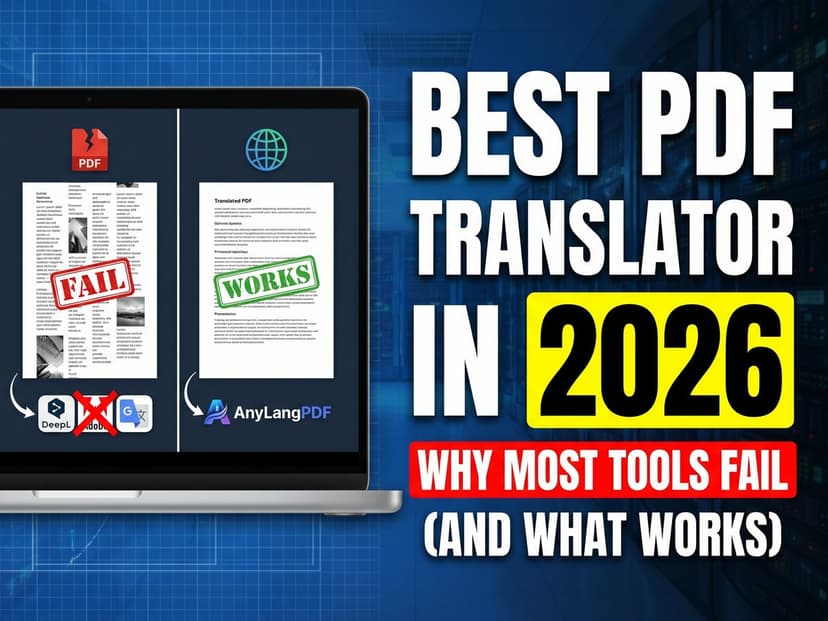
Picking the best PDF translator tools in 2026 sounds easy until you upload a PDF and get back something that looks nothing like the original. The columns collapsed. The logo moved. The table became a wall of text. This is not bad luck. It is the predictable output of tools that were not built to preserve layout. Most PDF translators fail for the same four reasons. Once you understand them, picking the right tool takes five minutes.
This guide covers why failure happens at the technical level, profiles the six most realistic tools honestly, and tells you which one fits your actual workflow.
Why Most PDF Translators Fail
The PDF format was designed to look the same everywhere, not to be edited or translated. Every piece of text is stored as a positioned object on a canvas. There is no paragraph concept, no semantic structure. A single sentence might be split into thirty separate text fragments, each with its own font, size, and coordinates.
Four specific failure modes break most tools.
- Layout destruction from text extraction. Most translators extract all the text as plain strings, translate it, then dump it back into a basic word-processor layout. Images stay. Tables collapse. Columns merge. Multi-column brochures come back as single-column blobs. The translated document is readable but looks unprofessional.
- File size and page limits. Google Translate caps uploads at 10MB and 300 pages. DeepL also caps at 10MB. A 60-page technical manual with embedded diagrams will hit the limit. The tool rejects the file entirely or silently truncates it.
- Language coverage gaps. DeepL covers 32 languages. Your PDF audience might speak Tagalog, Thai, Bengali, or Swahili. If the tool does not support those languages, you are back to manual translation for a third of your international readers.
- No sharing mechanism. Most tools give you a translated file. You still need to figure out how to distribute it: one file per language, separate emails, separate download links. When you update the source PDF, every translated version is stale and you start the whole process again.
The layout destruction failure is the most painful because it looks fine on a quick glance and only becomes obvious when someone reads the translated document carefully. By then you have already shared it.
What a Good PDF Translator Actually Does
Before the tool profile comparisons, here is what separates tools that work from tools that fail.
- Document structure analysis before translation. The tool reads the PDF and identifies text blocks, image positions, table cells, and font metadata before extracting any text. This spatial model is what lets it put translated text back in the right place.
- Layout-aware text insertion. Translated text is shorter or longer than the original. A good tool adjusts font size, line height, or text box dimensions to fit the translated string without shifting surrounding elements.
- No file size wall. Translating large documents should not require splitting, workarounds, or Pro tiers. A tool built for professional use accepts files at professional sizes.
- Language coverage that matches your audience. 100+ languages covers most international audiences. 32 languages leaves gaps you will run into sooner than you expect.
Tool Profiles
AnyLangPDF
Best for: Documents you share publicly. Lead magnets, guides, menus, brochures, school handouts.
Strengths
- Layout preservation is best-in-class. Tables, columns, images, and fonts stay in place.
- 100+ languages with automatic reader language detection. You share one link. Each visitor reads it in their browser language.
- No file size limits
- When you update the source PDF, all language versions update instantly. The link never changes.
- No subscription. Pay per document from €5.
Weaknesses
- Designed for sharing, not for desktop editing after translation. If you need to manually edit the translated PDF, you would open it in a separate editor.
- Fewer language options than Google Translate for rare languages
Cost: From €5 per document. No monthly commitment.
Who should use it: Content creators, marketers, restaurants, schools, NGOs, and anyone sharing a PDF internationally who cares how the translated version looks.
DeepL
Best for: High translation quality for European languages on text-heavy documents under 10MB.
Strengths
- Translation quality for major European languages is best-in-class
- Fast upload and translation
- Free tier available
Weaknesses
- Layout is destroyed. Output is reflowed plain text.
- 10MB file size limit, 300-page limit. Larger files fail.
- 32 languages only. Significant gaps for Asian, African, and Southeast Asian languages.
- Monthly subscription means you pay even in months you barely use it.
Cost: Free tier with limits. €7.99/month for Pro.
Who should use it: Professionals translating short text-only documents between major European languages where layout does not matter.
Google Translate
Best for: Quick understanding of a foreign document, or translating into languages no other tool covers.
Strengths
- 130+ languages. The only option for many less-common languages.
- Free, no account required
- Instant results
Weaknesses
- Layout is destroyed. Every PDF comes back as reflowed text.
- 10MB and 300-page limits
- Quality is inconsistent. Good for European languages, unreliable for Chinese, Arabic, and right-to-left scripts.
Cost: Free.
Who should use it: Personal use. Quick reading of a foreign document. Translating into rare languages where no alternative exists.
Adobe Acrobat
Best for: PDF editing in the same tool, including occasional translation.
Strengths
- You can edit the translated PDF immediately in the same application
- Reasonable layout preservation compared to pure text extractors
- Familiar tool for teams already using Acrobat
Weaknesses
- $50 to $400 per year. Most of that cost is for PDF editing you may not need.
- Translation quality is mediocre for the price
- Translation is noticeably slow
- Translation covers 25 to 40 languages depending on the plan
Cost: $50 to $400 per year.
Who should use it: PDF editors who also need occasional translation and want everything inside one application. Not for translation-only workflows where a dedicated tool costs less and performs better.
iLovePDF
Best for: Free occasional translation when layout does not matter.
Strengths
- Free, no installation
- Clean enough interface for occasional use
Weaknesses
- Layout is destroyed
- Ad-heavy, aggressive upsell on every action
- Slow translation speed
- Not suitable for repeated or professional use
Cost: Free with limits. Paid tiers available but not competitive.
Who should use it: Casual use when you need something translated once and do not care how it looks.
BookTranslator.app
Best for: Whole-document translation of book-length material, including EPUB and DOCX alongside PDF.
Strengths
- Translates a full book or long manuscript in one pass instead of section by section
- Handles EPUB and DOCX as well as PDF, which most PDF-only translators do not
- Keeps document structure through the translation, so chapters and headings survive
Weaknesses
- Built around the file, not around sharing. You get translated documents back and still distribute each language version yourself.
- More machinery than a two-page menu or a single brochure needs
Cost: See BookTranslator.app for current pricing.
Who should use it: Authors, publishers, and anyone with a book-length manuscript to move into another language. For short public-facing documents you want read in each visitor's own language, a share-first tool fits better.
Which Tool for Which Situation
You have a lead magnet and want international visitors to convert
Use AnyLangPDF. Layout preservation matters for branded content. One link, auto-detected language, no version management. When you update the PDF, all language versions update automatically.
You need to quickly understand a foreign PDF
Use Google Translate. Free, instant, covers most languages. Layout will be destroyed but you just need to read the content.
You translate contracts or reports between English and German or French
Use DeepL. Quality for European language pairs is excellent. The layout destruction is less of a problem for text-heavy legal documents that do not need to look polished.
You already pay for Acrobat and edit PDFs daily
Use Acrobat for translation when quality does not matter much and you want everything in one place. For anything client-facing, use a dedicated tool for the translation step and open the result in Acrobat afterward only if you need to edit it.
You have a full book, manuscript, or EPUB rather than a short PDF
Use BookTranslator.app. It is built for book-length documents and covers EPUB and DOCX as well as PDF, so you are not copying chapters into a tool one section at a time. Come back to AnyLangPDF for the shorter documents you publish and want every reader to open in their own language from a single link.
You run a restaurant, school, or local organization and need customers or parents to read documents in their language
Use AnyLangPDF. One upload, one link to share. Visitors get the document in their language without any action on your part.
Frequently Asked Questions
What is the best free PDF translator?
Google Translate for quick reading and rare language coverage. iLovePDF for basic needs. Neither preserves layout. If layout matters, free tools will disappoint you.
Can any tool handle a 150-page technical manual?
AnyLangPDF has no page or file size limits. DeepL and Google Translate both cap at 10MB and 300 pages. A heavy technical manual may hit those limits and fail mid-translation.
Which tool preserves PDF formatting best?
AnyLangPDF leads on layout preservation. Adobe Acrobat is decent but slow and expensive. DeepL, Google Translate, and iLovePDF all destroy layout.
How many languages do these tools support?
Google Translate covers 130+ languages. AnyLangPDF covers 100+. Adobe Acrobat covers 25 to 40 depending on the plan. DeepL covers 32. iLovePDF covers around 20.
Do I need a subscription for any of these?
DeepL and Adobe Acrobat require monthly or annual subscriptions. AnyLangPDF is pay-per-document from €5. Google Translate and iLovePDF are free with limits.
My PDF has a complex layout with tables and columns. Which tool will not destroy it?
AnyLangPDF is built specifically for this. It analyzes document structure before translating and puts translated text back in the correct positions. Tables, columns, and image placements are preserved.
Bottom Line
Most PDF translators fail because they treat translation and layout as separate problems, solve only the translation part, and hand you back broken output. The tool you need depends on whether layout matters and whether you are sharing the document or keeping it internal. For anything you share publicly, layout matters. Use a tool built for it.
Layout is critical, use AnyLangPDF. Translation quality for European languages matters more than layout, use DeepL. Rare languages or free quick reads, use Google Translate. Everything in Acrobat already, add translation as a step inside it but switch to a dedicated tool for client-facing output. Match the tool to the actual need.
Related Articles on PDF Translation and Localization
Translation Service for Documents: How to Pick (2026 Guide)
Choosing a translation service for documents in 2026: compare DeepL, Google Translate, Adobe Acrobat AI, and AnyLangPDF on accuracy, format preservation, and cost.
Best PDF Translation Service: What Reddit Actually Says (2026)
Tired of conflicting Reddit threads? We aggregated what real users say about the best PDF translation services in 2026, from DeepL to AnyLangPDF.
Best Free AI PDF Translator in 2026 (Honest Comparison)
Looking for a free AI PDF translator? We compare what is actually free, what has hidden limits, and which tool gives you the best result without paying.
