Multilingual Welcome Signage for Vacation Rentals: 2025 Guide
From door signs to instruction cards: how vacation rental hosts use QR codes and multilingual PDFs to communicate with international guests automatically.
Most vacation rentals have a printed welcome binder. After the first three guests it is coffee-stained, missing pages, and in English only. The German family from last week figured out the coffee machine by trial and error. The Japanese couple did not find the recycling bins until day three. The Spanish guests did not see the checkout checklist at all. All three left reviews that mentioned confusion.
A QR-based signage system solves the physical problem (lost paper, worn out cards) and the language problem (one language for everyone) at the same time. One laminated card per location, a QR code that links to a multilingual PDF, and every guest reads the instructions in their language on their own device. This guide covers exactly how to set that up.
Why Printed Signs Fail International Guests
Printed paper has three failure modes that QR-based signage avoids completely.
- One language only. A printed sign in English cannot help a guest who reads Spanish or Korean. You can print multiple versions, but now you have stacks of paper in six languages for a one-bedroom apartment, and you still miss the languages you did not anticipate.
- Content goes stale immediately. WiFi passwords change. House rules get updated. Restaurants close. Every time anything changes, your printed materials are wrong until you reprint them. Most hosts do not reprint. Guests get outdated information.
- Paper gets damaged or disappears. A welcome binder survives about ten guests before it looks worn. Individual cards fall behind furniture. Guests take them accidentally. After a few months, the information guests need most is gone.
A QR code on a laminated card addresses all three. The card itself never changes. The content it links to can be updated instantly. The linked PDF is multilingual by default, serving every guest in their browser language automatically.
The physical card is permanent. The content is always current. The language is always right. That is what makes QR-based signage worth setting up once and never thinking about again.
The Guest Journey: When Guests Need Information
Before deciding where to place QR codes, understand when guests actually need information. There are four distinct moments in a stay, and each requires different content in a different location.
Arrival (first 5 minutes)
The guest is at the door. They may be jet-lagged, carrying luggage, possibly navigating in a city they do not know. They need three things immediately: how to get inside, WiFi credentials, and who to call if something is wrong. Nothing else matters yet.
A QR code at the entrance linked to a one-page arrival essentials PDF handles this moment perfectly. The guest scans, reads in their language, and is inside and connected within minutes.
First hour (settling in)
Once inside, guests explore. They try the coffee machine. They look for the thermostat. They open the TV. This is when appliance confusion happens. A guest who cannot figure out the induction hob will either give up and go out for every meal or send you a message. Usually both.
QR codes in the kitchen and living room, linking to appliance guides in the guest's language, intercept this moment before it becomes a problem.
During the stay
Guests have questions over multiple days. Where is the nearest pharmacy? What time does trash collection happen? Is the terrace included in the no-smoking rule? These questions are not urgent but they accumulate and eventually become messages to you.
A central QR code in the main living area, linking to the full welcome guide, is the reference point for anything that comes up mid-stay. Guests check it themselves rather than messaging you.
Checkout
This is the highest-stakes moment for compliance. Guests who do not complete checkout correctly create problems for your cleaning crew and potentially your next guest. A QR code in the bedroom or bathroom, linking specifically to the checkout checklist, gets read at the right moment: the morning of departure when guests are actively thinking about leaving.
Room-by-Room QR Code Placement Guide
Front door or entrance area
What to link to: Arrival essentials. WiFi credentials, door codes if not already used, your phone number, building rules for the entrance (quiet, no shoes, elevator use).
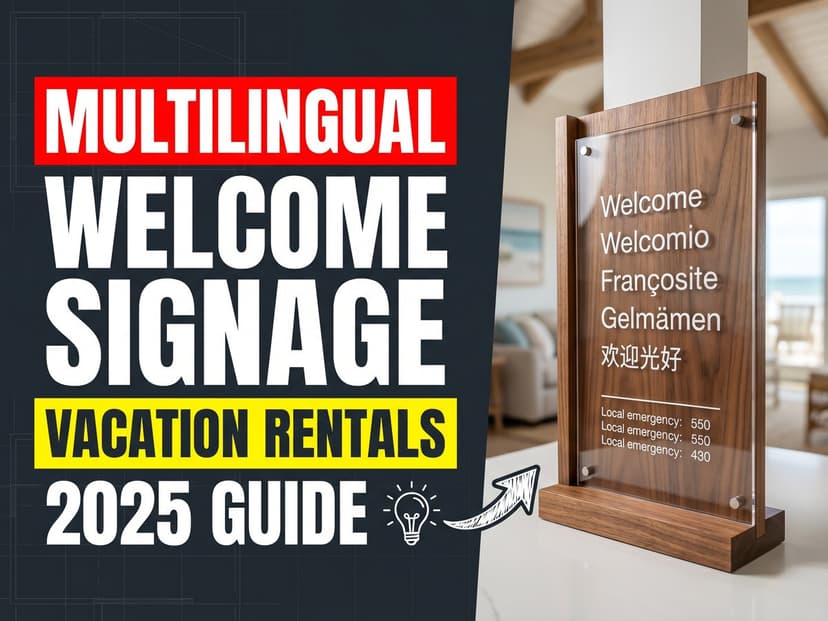
Sign text: "Welcome. Scan for your guide in your language." Print this phrase in four to six of your most common guest languages so visitors understand the card before they scan it.
Format: A5 or A6 laminated card. Frame it if you want a more polished look. Position it at eye level, visible before the guest fully enters.
Kitchen
What to link to: Appliance instructions for everything on the counter or in the cabinets. Coffee machine, espresso machine, dishwasher, oven, induction hob, microwave. Include the recycling system with which bin gets what.
Sign text: "Appliance instructions. Scan for your language." Or one card per major appliance if you have equipment that genuinely confuses guests regularly.
Format: A6 card attached to the inside of a cabinet door, or a small framed card on the counter. The kitchen takes more abuse than other rooms so lamination is important here.
Living room or main area
What to link to: The full welcome guide. House rules, TV and streaming instructions, heating and cooling, local recommendations, emergency contacts.
Sign text: "House guide and local tips. Scan for your language."
Format: A5 card in a small frame on the coffee table or a shelf. This is the highest-traffic information point in the property. A framed card looks intentional and professional rather than like an afterthought.
Bedroom
What to link to: Checkout checklist. Guests see this first thing on the morning they leave. Bed stripping instructions, what to do with used towels, thermostat setting on departure, window status, key return.
Sign text: "Checkout instructions. Scan for your language." A specific mention of checkout makes guests more likely to scan it the morning they leave.
Format: A6 card on the bedside table or nightstand. Guests see it when they wake up on their last morning.
Bathroom
What to link to: Laundry instructions if there is a washing machine accessible from the bathroom. Alternatively, a reminder link to checkout instructions.
Sign text: "Laundry guide. Scan for your language." or "Checkout checklist. Scan for your language."
Format: A6 card in a waterproof frame or a laminated card on the back of the door. The bathroom is high humidity. Laminate everything.
Near the TV or entertainment system
What to link to: TV and streaming instructions. Which input to use, how to switch between apps, which accounts are shared, how to connect via HDMI if applicable.
Sign text: "TV and streaming guide. Scan for your language."
Format: A small card propped against the TV stand or on the shelf below the TV. Guests look for instructions at the entertainment center when the TV does not work as expected.
How to Make Cards That Last
The physical quality of your cards matters more than most hosts expect. A worn or dirty card signals low attention to detail. A clean, professional card signals care. Both take the same QR code and link to the same content.
Material options
- Laminated paper cards. The simplest and cheapest option. Print at home, run through a laminator. A4 lamination pouches cost under €5 for a pack of 25. Cards last one to two years before they start to look worn. Good for most rooms.
- Framed cards. Print on cardstock, cut to size, place in a small photo frame. More expensive but looks significantly more professional. Works well for the main living area and bedroom where guests spend the most time.
- Acrylic sign holders. Small tabletop holders in A6 or A5 size. Clean, modern look. The card slides in and out easily when you need to reprint. Available on Amazon or IKEA for under €5 each.
- Adhesive label holders. Stick-on pockets that mount to walls or cabinets. The card slides in. Good for the kitchen and bathroom where you want the card attached to a surface rather than propped up.
QR code size and placement on the card
The QR code needs to be at least 3cm x 3cm to scan reliably from a normal holding distance. Larger is better. Do not make the mistake of printing a tiny QR code in the corner of a text-heavy card. Make the code prominent. Guests need to recognize immediately that this is a scannable item.
Include a brief text label under the QR code in multiple languages: "Scan with your phone camera." Many guests do not know they can scan QR codes with a standard camera app. Explicit instruction removes the friction.
How often to replace cards
With laminated cards, plan for a replacement cycle of twelve to eighteen months. The QR code URL never changes, so replacement is just reprinting the same card and re-laminating. The content behind the QR code can be updated as often as needed without touching the physical card.
How Multilingual QR Codes Work
A standard QR code links to a URL. A multilingual QR code links to a URL that serves different content based on the visitor's browser language. When a guest scans your QR code, their phone camera reads the code and opens the URL. The page reads the language setting of their device and displays the PDF in that language.
With AnyLangPDF, you upload one PDF, translate it into as many languages as you want, and get one shareable URL. That URL powers the QR code. When the German guest scans it, they see German. When the Japanese guest scans it, they see Japanese. Same QR code, same card, different output for every guest.
Guests can also switch languages manually on the page if they prefer a different one. But for the vast majority, automatic detection means they see the right language without doing anything.
The critical advantage: when you update the PDF (new WiFi password, updated house rules, different restaurant recommendation), you re-upload once and every QR code in your property now links to the updated version. You do not reprint a single card.
Setting Up Your Signage System: Step by Step
- Write your PDFs. Create a separate document for each location: arrival essentials, appliance guide, house rules and full welcome guide, checkout checklist. Keep each document focused. An arrival essentials card does not need restaurant recommendations. A checkout checklist does not need WiFi credentials.
- Export each document as PDF. Any tool works: Google Docs, Word, Canva, Apple Pages. Clean layouts with photos translate better than text-heavy pages.
- Upload to AnyLangPDF. Each PDF gets its own link. Upload each document separately and get a URL for each one. That URL is what goes on the QR code for its corresponding location.
- Generate QR codes. Use any free QR code generator (qr-code-generator.com, qrcode-monkey.com) to create a QR code from each URL. Download as PNG or SVG. Label each QR code file with the room and document name so you do not mix them up.
- Design your cards. Create a simple A6 template: QR code prominent in the center, brief multilingual scan instruction below. Print on cardstock or regular paper, then laminate. For a more professional result, use a frame or acrylic holder.
- Place cards. Install each card at the correct location. Test each QR code with your own phone before the next guest arrives. Scan in the same lighting conditions guests will use.
- Test with a fresh device. Reset your phone language to a language you translated into and scan each code. Verify the correct language appears. This is the only way to confirm the automatic detection works from the guest side.
What Each PDF Should Contain
| Document | Location | Must include | Length |
|---|---|---|---|
| Arrival essentials | Front door | WiFi, door code, your number, address for taxi | 1 page |
| Appliance guide | Kitchen | Coffee machine, oven, dishwasher, recycling, hob | 2-4 pages with photos |
| Full welcome guide | Living room | House rules, TV, heating/AC, local guide, emergency contacts | 5-10 pages |
| Checkout checklist | Bedroom | Time, keys, dishes, laundry, thermostat, windows | 1 page |
| Laundry guide | Bathroom | Programs, detergent location, drying instructions | 1 page with photos |
Common Setup Mistakes
- One QR code for everything. A single code for the full welcome guide works for the living room. It does not work for the kitchen where guests want appliance instructions specifically. Match each QR code to the context of its location.
- QR codes too small to scan. A 2cm QR code printed on an A6 card looks neat but often fails to scan in dim lighting. Minimum 3cm, ideally 4-5cm for cards used in lower-light areas like bedrooms.
- No text instruction on the card. Guests of all ages need to know the card is meant to be scanned. Include "Scan with your phone camera" in the most common languages your guests speak.
- Testing only in your own language. Auto-detection works by reading the phone's language setting. Always test with a device set to one of your target languages to confirm the correct version appears.
- Not laminating cards in the kitchen and bathroom. These rooms have moisture, steam, and spills. An unlaminated card in the kitchen lasts two weeks. Laminate every card in every room, but especially these two.
- Placing QR codes where phones cannot get a good photo. A card inside a dark cabinet, flat on a low shelf, or behind reflective glass may not scan reliably. Test by scanning from the position a guest would actually hold their phone.
Frequently Asked Questions
Do guests need an app to scan QR codes?
No. Modern iPhone and Android cameras scan QR codes natively. The guest points their camera at the code and a notification appears to open the link. No app download, no account, no friction.
What if the WiFi is not working and guests cannot access the linked PDF?
This is the main argument for keeping a physical backup of the arrival essentials (just that document, one page). Include a printed copy of WiFi credentials, your phone number, and the door code somewhere that does not require WiFi to access. The QR system handles everything else.
How do I update the content after the QR codes are placed?
Update the PDF, re-upload it to AnyLangPDF, and the link stays the same. The QR codes in your property already point to that link. No reprinting needed. The next guest to scan gets the updated content automatically.
How many languages should I support?
Check your booking history. Start with the languages of your three to five most common guest nationalities. AnyLangPDF supports 100+ languages, so adding more later takes minutes. Automatic language detection means every new language you add works for guests without any action on your part.
Can I use the same QR code for multiple locations?
You can, but it is less effective. A kitchen QR code that opens the full 10-page welcome guide makes guests scroll past the house rules and local tips to find the dishwasher settings. Specific codes for specific rooms serve guests better. The extra setup time is one afternoon, once.
What is the cost of setting this up?
Translating documents starts at €5 per PDF with AnyLangPDF. QR code generation is included with each translation. Laminated A6 cards cost under €0.50 each to print and laminate at home. Frames cost €2-5 each. A full five-location signage system runs under €30 to set up, including translation for five to eight languages.
Bottom Line
A laminated QR code card never runs out of paper, never becomes outdated without your knowing, and never has the wrong language. Five cards placed at the right locations in a vacation rental handle most of the communication questions that currently land in your inbox at 11pm. The setup takes one afternoon. The cards last for years.
Write the documents. Upload to AnyLangPDF. Generate QR codes. Print and laminate cards. Place them where guests need information. Every future guest reads everything in their language without you doing anything differently for each booking.
Related Articles on PDF Translation and Localization
Translation Service for Documents: How to Pick (2026 Guide)
Choosing a translation service for documents in 2026: compare DeepL, Google Translate, Adobe Acrobat AI, and AnyLangPDF on accuracy, format preservation, and cost.
Best PDF Translation Service: What Reddit Actually Says (2026)
Tired of conflicting Reddit threads? We aggregated what real users say about the best PDF translation services in 2026, from DeepL to AnyLangPDF.
Best Free AI PDF Translator in 2026 (Honest Comparison)
Looking for a free AI PDF translator? We compare what is actually free, what has hidden limits, and which tool gives you the best result without paying.
